Thinkube GitOps
Deploy a serverless service
A service that runs only while it is being called, like AWS Lambda, on your own machines
- Level
- beginner
- Time
- 30 min
- Risk
- low
- Updated
- 2026-10-04
Overview
Basic idea
A normal service runs all the time, waiting for requests, and holds memory and CPU even when nobody calls it. A serverless service runs only while requests arrive: the first request starts it, more copies start when traffic grows, and it stops when the requests stop. Cloud architectures use serverless, such as AWS Lambda or Google Cloud Run, for the parts that are called now and then, because an idle service consumes nothing and costs nothing.
On Thinkube, Knative gives you the same behaviour on your own machines. An idle service frees its memory for other work. On machines where the CPU and GPU share memory, such as DGX Spark, it goes to your models. What you deploy is a small web service, as on Cloud Run.
What you’ll accomplish
You deploy knative-demo, a serverless service, from a template. You call it while it is stopped, send a burst of requests that starts more copies, watch it stop again, and ship a change to it.
What to know before starting
Required
-
Asking your agent in Thinkube IDE to do things on the platform.
Optional
-
Thinkube GitOps, to see how a push becomes a running service.
-
thinkube.yaml, for every rule a Knative service follows.
Instructions
Step 1. Deploy the template
The template is a complete service: a small HTTP server, its thinkube.yaml with the scaling settings, and its tests. Deploying it creates your own repository and builds and deploys the service.
Ask your agent:
› make a service called knative-demo from the Knative demo template
The template is https://github.com/thinkube/tkt-knative-demo.
Or by hand: in Thinkube Control open Templates, choose tkt-knative-demo, name it knative-demo and deploy.
Expected output:
status: success
output: Deployment completed successfully
duration: 97.4
Step 2. Read the scaling settings
The settings live in the repository, in thinkube.yaml, so changing them is a commit.
Ask your agent:
› show me the deployment settings in knative-demo's thinkube.yaml
Expected output:
spec:
  deployment:
    type: knative
    minScale: 0
    maxScale: 3
    containerConcurrency: 5
    timeoutSeconds: 30
minScale: 0 lets the service stop completely. containerConcurrency: 5 is how many requests one copy takes before Knative starts another. maxScale: 3 caps the copies.
Step 3. Call it while it is stopped
When nothing has called the service for a while, no copy of it is running. The first request starts one and waits for it. Kubernetes calls each running copy a pod.
Ask your agent:
› is knative-demo running? then call it and time the call
Expected output, from the reference run (one run on the test cluster this page was checked on):
pods: 0
first request from zero: 1.52 s, HTTP 200
{
  "message": "Hello from Knative!",
  "app": "knative-demo",
  "simulated_work_ms": 100,
  "hostname": "knative-demo-00002-deployment-6bb6bd7d8c-lc85b"
}
warm request: 0.13 s
The service answers at https://knative-demo.<your domain>/. Besides /, it answers /health with its uptime and request count, and /scale-test with the same simulated work.
Step 4. Send a burst and watch it scale
Thirty requests at once are more than one copy takes, so Knative starts more, up to three.
Ask your agent:
› send 30 requests at once to knative-demo's /scale-test and show how many copies run
Expected output:
knative-demo-00002-deployment-6bb6bd7d8c-lc85b   2/2   Running   7s
knative-demo-00002-deployment-6bb6bd7d8c-q7h2x   1/2   Running   3s
knative-demo-00002-deployment-6bb6bd7d8c-wcjvb   1/2   Running   3s
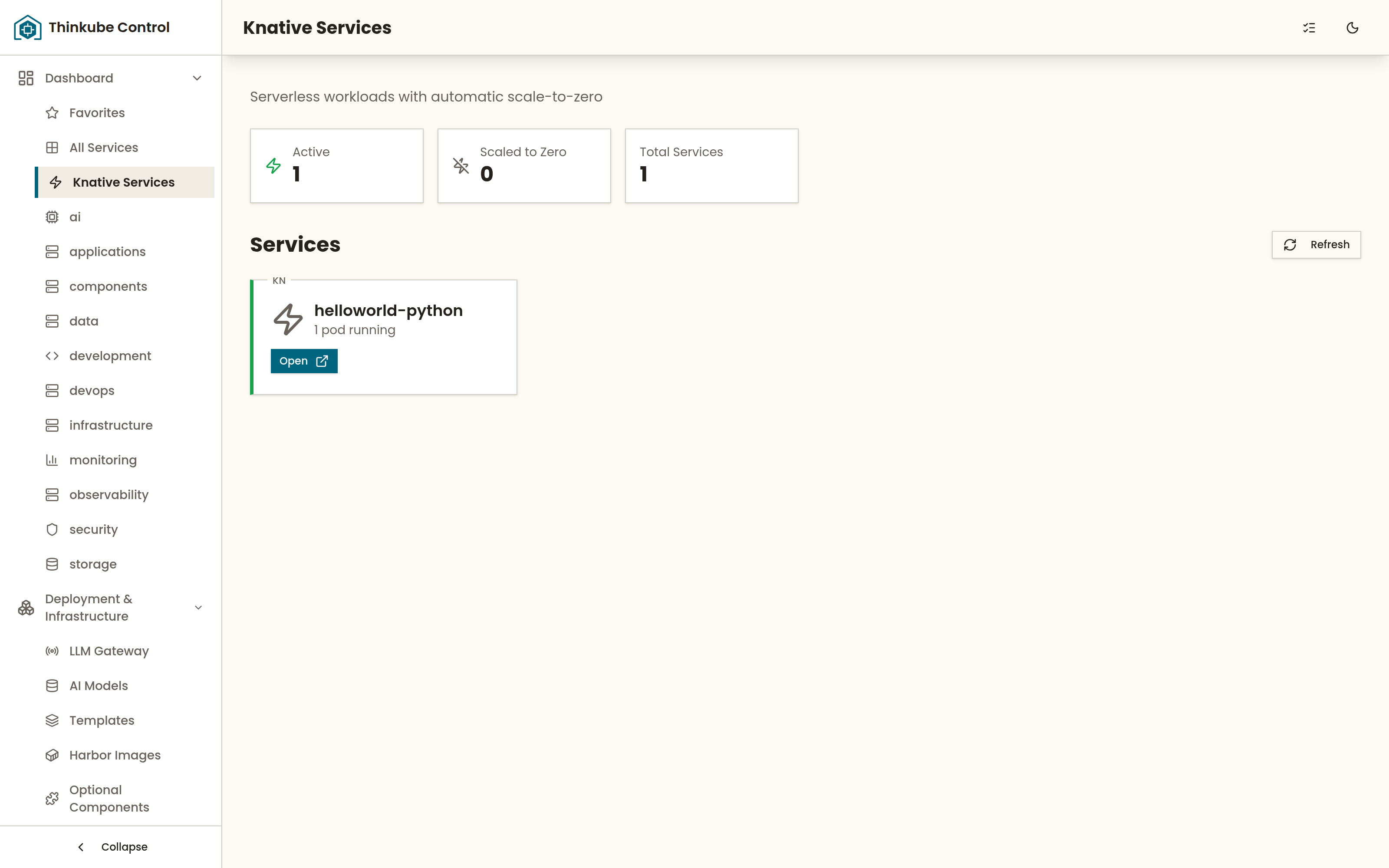
Knative Services in Thinkube Control lists each service with how many copies are running; point at a card to see its range of copies, its requests per copy and its timeout:
Step 5. Watch it return to zero
With no requests, Knative stops the copies again.
Ask your agent:
› tell me when knative-demo has stopped
Expected output: on the reference run no copy was running 71 seconds after the last request.
Step 6. Change the greeting and ship it
The template’s two settings are variables in thinkube.yaml: GREETING, the message, and SIMULATE_WORK_MS, the work each request pretends to do. A push builds and deploys, as for any app.
Ask your agent:
› in apps/knative-demo set the GREETING default to "Hello from my cluster", commit and push, then call it when the deploy is done
Expected output: 93 seconds after the push, the call answers with "message": "Hello from my cluster" from a new revision (a new version of the service), knative-demo-00003.
Step 7. Next steps
To undo: Delete the app in Thinkube Control.
-
Store and fetch files with the file gateway: an always-on app with a REST API and an upload page.
-
Build a web app from the template: a full-stack app with a database and a login.
-
Templates catalog: every template you can deploy.
Troubleshooting
| Symptom | Cause | Fix |
|---|---|---|
The first call takes over a second; the next ones take a tenth of that |
No copy was running, and the call waited for one to start |
Expected. Set |
Pods show |
New copies are starting; requests queue until they are ready |
Expected. Wait for |
|
After every deploy the build pipeline commits the new image tag to the repository, so your checkout is one commit behind |
Run |
A call to another path answers |
The demo answers only |
Call one of those three paths. |