Thinkube GitOps
Publish your app as a template
Turn an app you improved into a template anyone on your cluster can deploy
- Level
- beginner
- Time
- 30 min
- Risk
- low
- Updated
- 2026-10-04
Overview
Basic idea
A team’s best starting point is an app that already works. Publishing it as a template lets the next app start from there instead of from an empty project: same structure, same tests, same configuration declarations, already proven on the platform.
In Thinkube a template is an ordinary app repository, so publishing is a copy.
-
Your code goes to your GitHub account. The platform creates the repository, public or private, and pushes the app’s files.
-
The catalogue learns about it. The template is added to
<your account>-metadata, the list Thinkube Control reads, so it appears under Templates. -
Declarations travel, values stay. The parameters, variables and
publicEnvnames inthinkube.yamlgo with the template; each deployment gives them its own values.
What you’ll accomplish
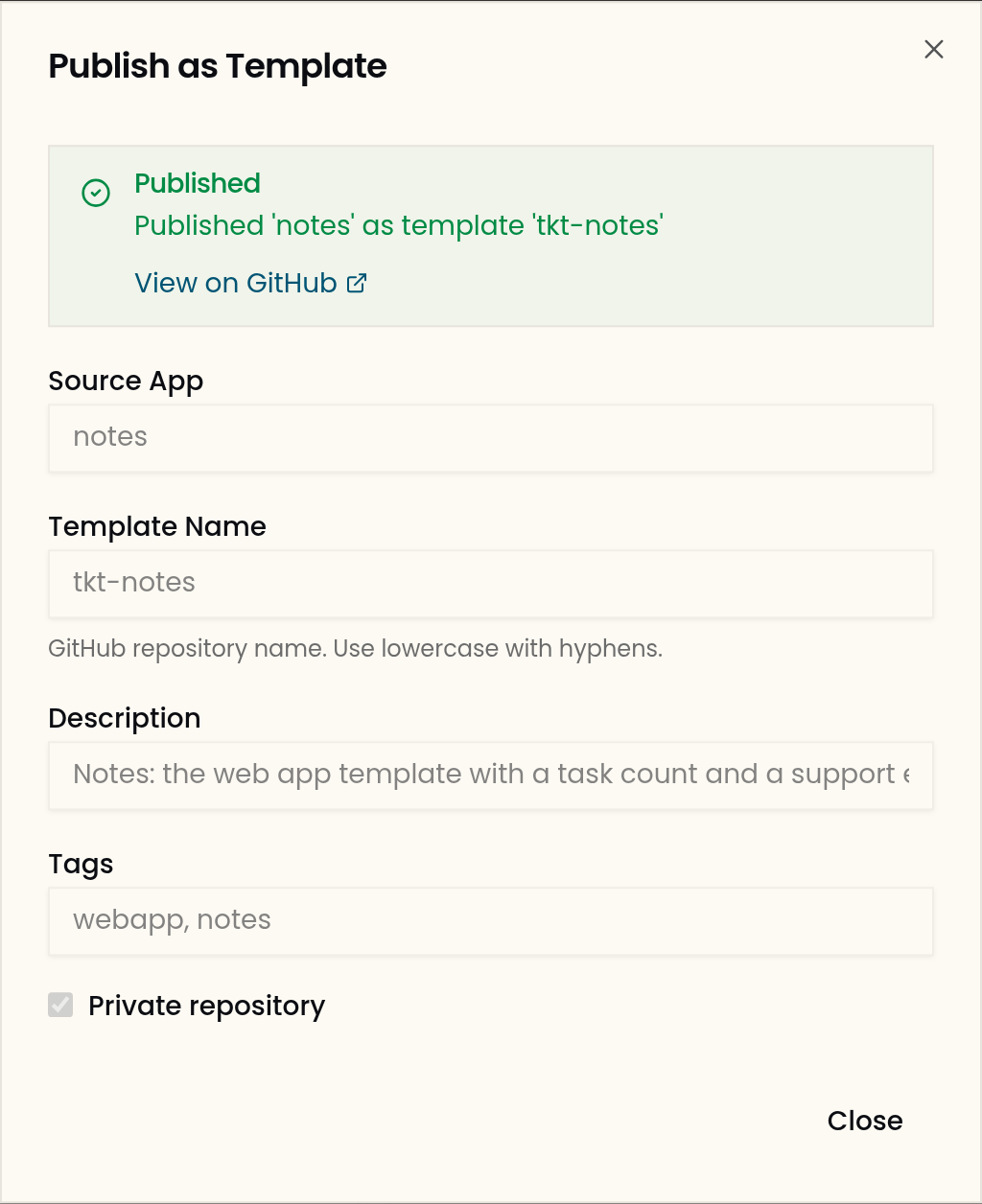
You publish the notes app, with the task count and the support email added in the two previous guides, as the private template tkt-notes. Then you deploy it as a new app, notes-copy, and find both changes there.
What to know before starting
Required
-
An app from the web app template, changed and pushed. Build a web app from the template, Change your app and ship it and Pass configuration to your app make the
notesused here.
Optional
-
How configuration reaches your app: why a template carries no placeholders.
Instructions
Step 1. Check the app is ready to share
Everything in ~/apps/notes is published, uncommitted files included. A name or address typed into the source travels with it, so look for your app’s own identity before you publish.
Ask your agent:
› check notes for uncommitted changes and for its name typed into the source instead of read from a variable
On the reference run the checkout was clean. The name notes appeared only in files each deployment writes for itself, which are not published: the pre-commit hook and regenerate-manifests.sh.
Step 2. Publish
In Thinkube Control, open Templates. Under Your Apps, choose Publish as Template on notes, and fill in the form:
-
Template Name:
tkt-notes. This is the GitHub repository name. -
Description: one line for the catalogue.
-
Tags:
webapp, notes. -
Private repository: on, the default. Leave it on unless the code may be public.
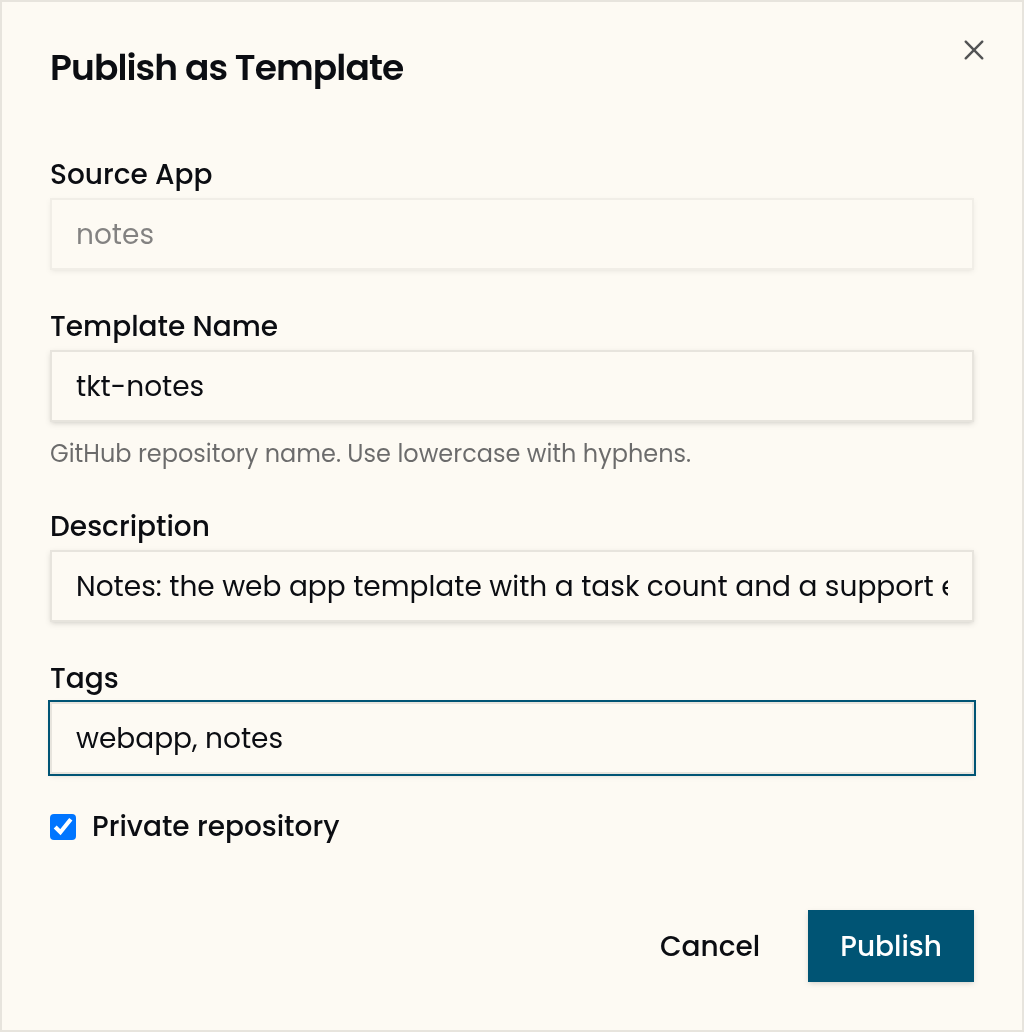
Choose Publish.
Expected output, 22 seconds later on the reference run:
These are left out of the published repository, because each deployment makes its own:
| Left out | Why |
|---|---|
|
Generated from |
|
The template repository starts its own history. |
|
The answers given to this deployment. |
|
A deployment marker. |
|
Written by each deployment with its own app’s name. |
|
Build and cache files. |
Step 3. Find it in the catalogue
Ask your agent:
› list the templates
Expected output, among the platform’s templates:
{
  "name": "tkt-notes",
  "description": "Notes: the web app template with a task count and a support email",
  "url": "https://github.com/cmxela/tkt-notes",
  "org": "cmxela",
  "deployment_type": "app",
  "source": "user"
}
source: user marks a template from your own catalogue; the platform’s templates say platform.
Step 4. Deploy it as a new app
Ask your agent:
› deploy https://github.com/cmxela/tkt-notes as notes-copy
Use your own account in place of cmxela. The deployment is the same as for the platform’s templates; a private template is fetched with the install’s GitHub token.
Step 5. Find your changes in the new app
Ask your agent:
› when notes-copy is up, show its config.js and whether its API has the task count
Expected output, 227 seconds after the deployment started on the reference run:
window.__PUBLIC_CONFIG__ = {"APP_TITLE":"Notes Copy","SUPPORT_EMAIL":"help@example.com"};
['/api/v1/tasks/count']
The new app has its own name, database and address, and carries the endpoint and the variable added to notes.
Step 6. Next steps
To undo: Delete the template repository on GitHub and its entry in repositories.json of <your account>-metadata.
-
Pass configuration to your app: declare what the next deployment must be asked.
-
Templates catalog: the templates the platform ships.
Troubleshooting
| Symptom | Cause | Fix |
|---|---|---|
An app deployed from your template has no value for a setting your own app had |
The template carries the declaration, not the value; each deployment gives its own values |
Set the value for the new app on the Secrets page of Thinkube Control, as How configuration reaches your app describes. |