Reference
Every template in the platform catalogue, what it deploys, and what it needs.
Ask your agent: "which templates can I deploy?", then "make an app called notes from the web app template". Each template is a repository with a thinkube.yaml. Deploying one gives you a running application and a git repository you own in Thinkube Git.
A template also has a manifest.yaml that names the questions asked at deploy time. Each template has one of three types:
-
app is always on.
-
knative scales to zero.
-
component has a fixed name. The LLM Gateway creates its pods when a model is loaded.
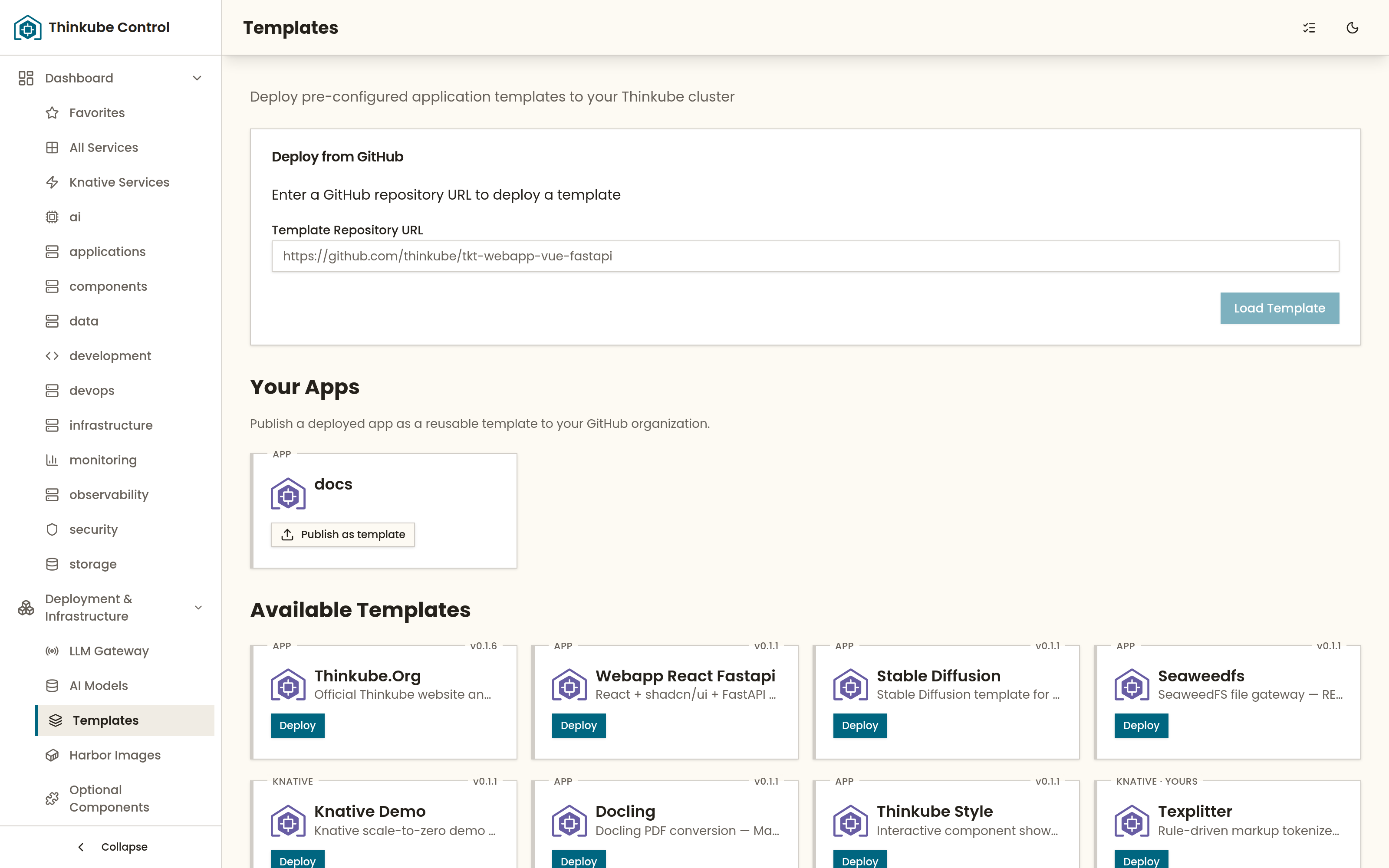
| Template | Type | GPU | Deploys |
|---|---|---|---|
|
app |
— |
A web application: React frontend on thinkube-style, FastAPI backend, PostgreSQL, sign-in through Thinkube Identity, tests and migrations wired. The template pages are written from it. |
|
component |
yes |
The vLLM inference server the LLM Gateway drives, with a Gradio chat interface |
|
component |
yes |
The TensorRT-LLM inference server the LLM Gateway drives, for NVFP4 models on Blackwell |
|
component |
yes |
The Text Embeddings Inference server the LLM Gateway drives, for embedding models registered in Thinkube Experiments |
|
app |
yes |
Stable Diffusion image generation with a Gradio page; asks for the Hugging Face model id at deploy time and downloads it when it starts |
|
app |
— |
A file gateway over Thinkube Storage: a REST API and an upload page. Store and fetch files with the file gateway |
|
app |
— |
PDF conversion with Docling: Markdown, HTML, text, Docling JSON, DocTags and JATS XML. Each conversion is an Argo Workflows step; the Granite-Docling pipeline calls the LLM Gateway, which serves the model on a GPU. Convert papers to Markdown and JATS XML |
|
knative |
— |
A minimal scale-to-zero service, for checking a Knative deployment. Deploy a serverless service |
|
app |
— |
The component showcase of the thinkube-style design system |
|
app |
— |
This documentation site, deployed inside the cluster so the agent can search it |
The three component templates are under Optional Components as vllm, tensorrt and text-embeddings. Install them there, or ask your agent "install vllm". Installing the component deploys the template with no pods. Loading a model creates them. Load a model on the node and context you choose shows how.
Deploy one from Thinkube Control under Templates, by name or from a GitHub URL, or ask your agent Code: deploy the web app template, call it notes. Build a web app from the template follows one deployment step by step, and Publish your app as a template shows how an application you built becomes an entry in your own catalogue.